

How to Create a Sub-Account
Step 1: Enter the MEXC official website
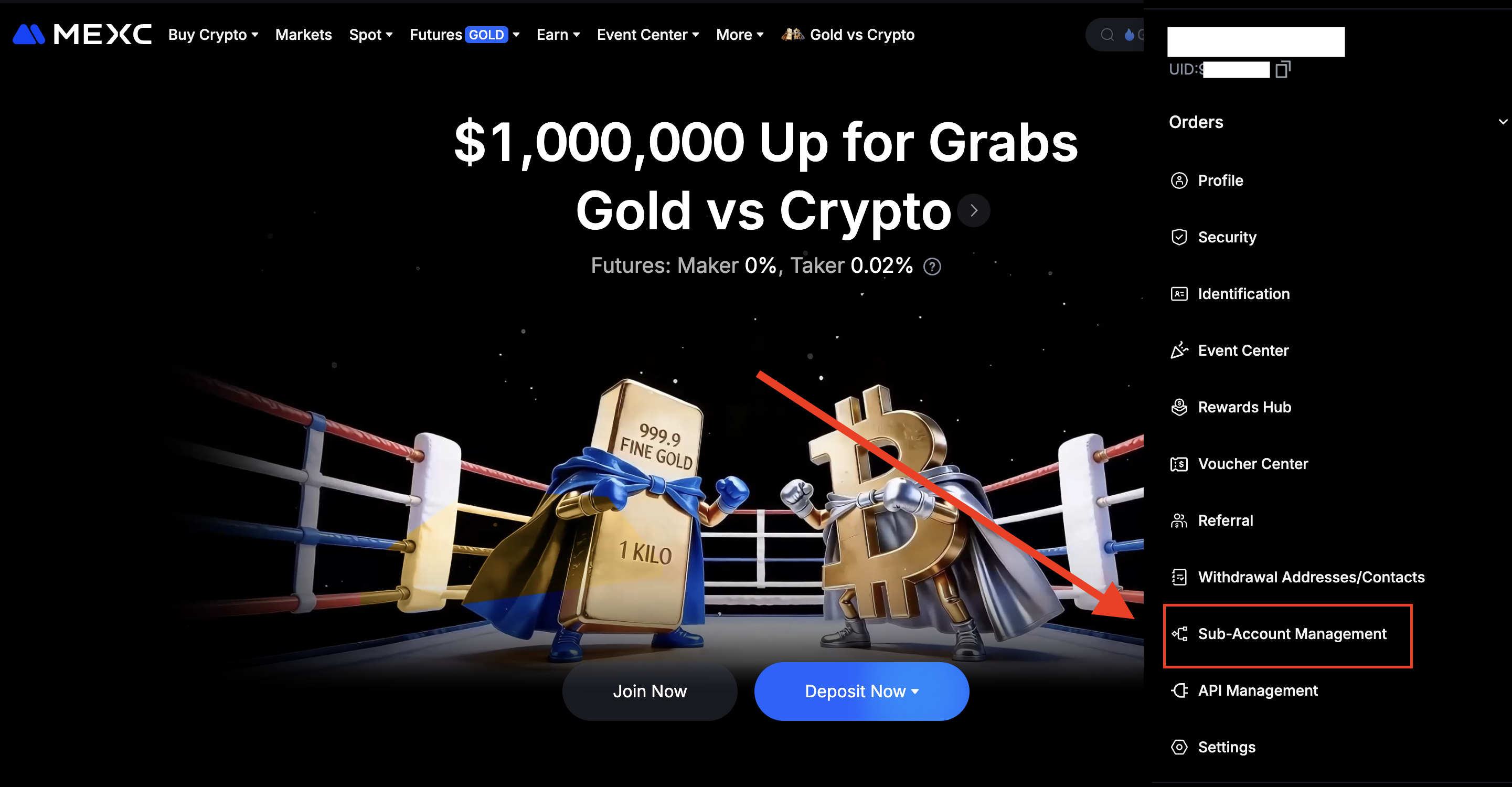
Step 2: Click on the user icon and select Sub-Account Management
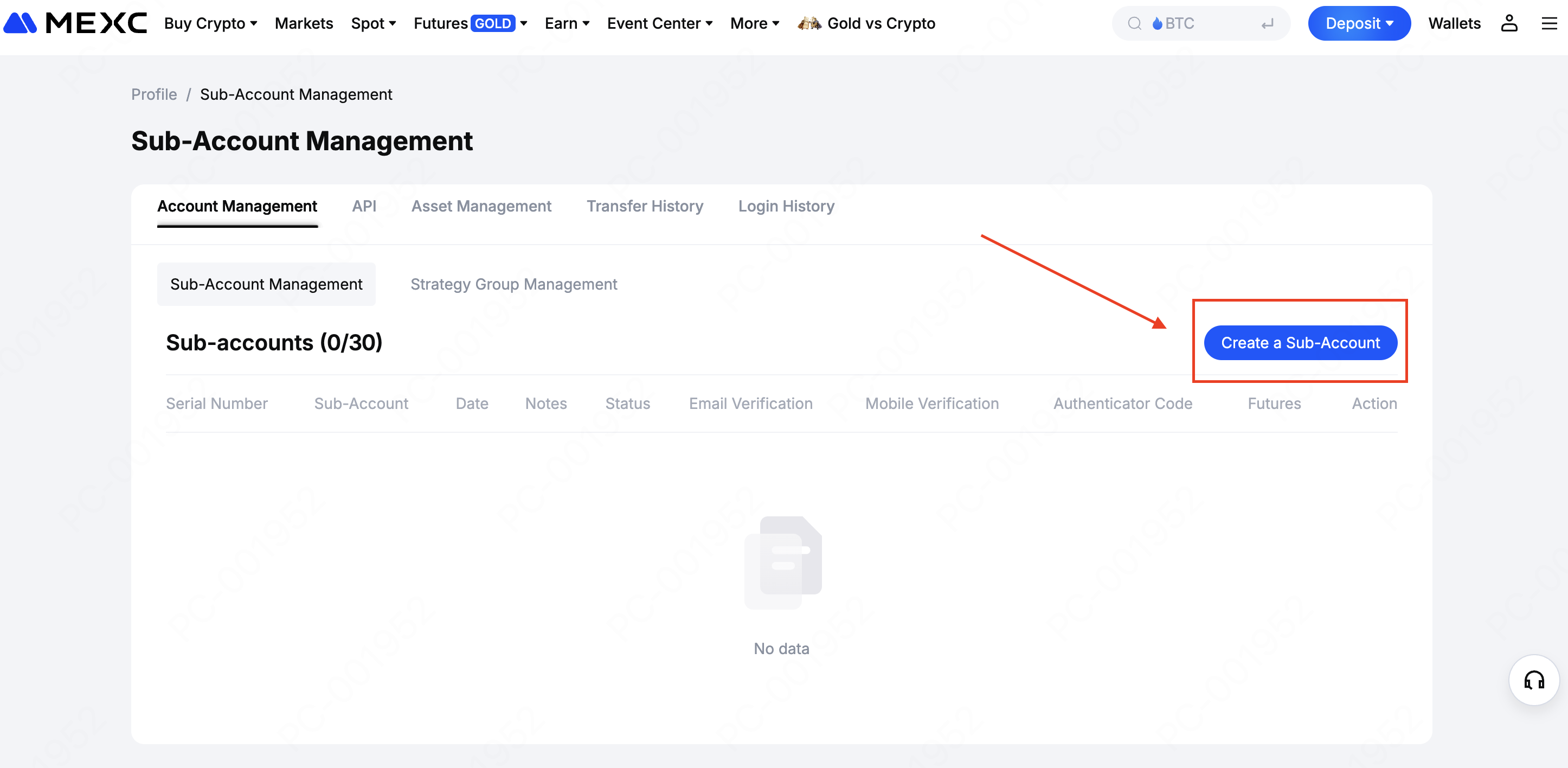
Step 3: Click Create a Sub-Account
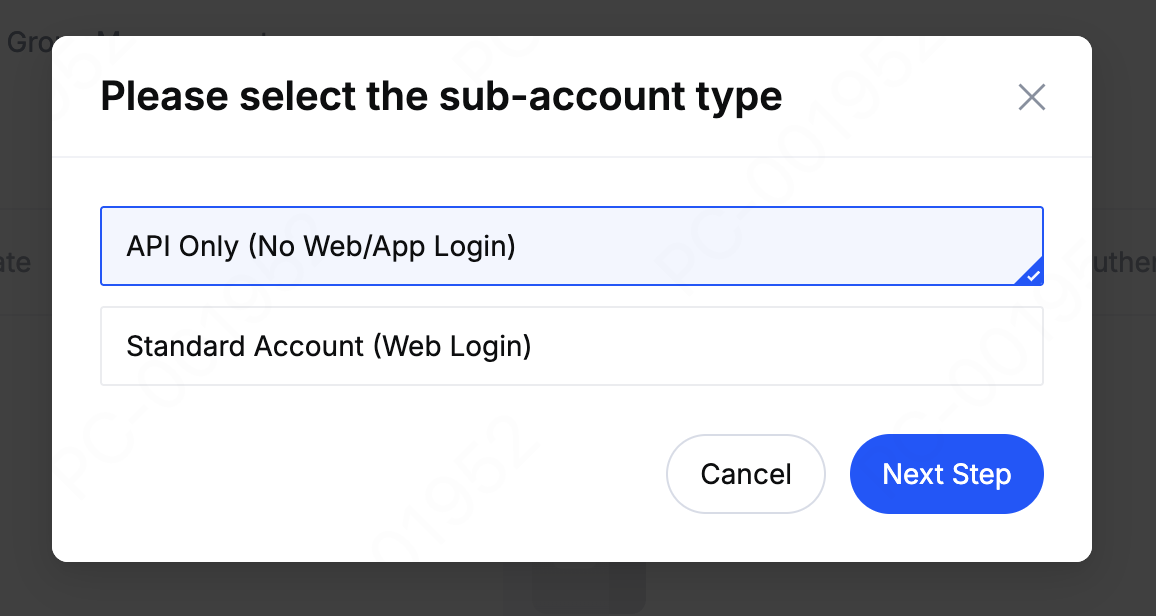
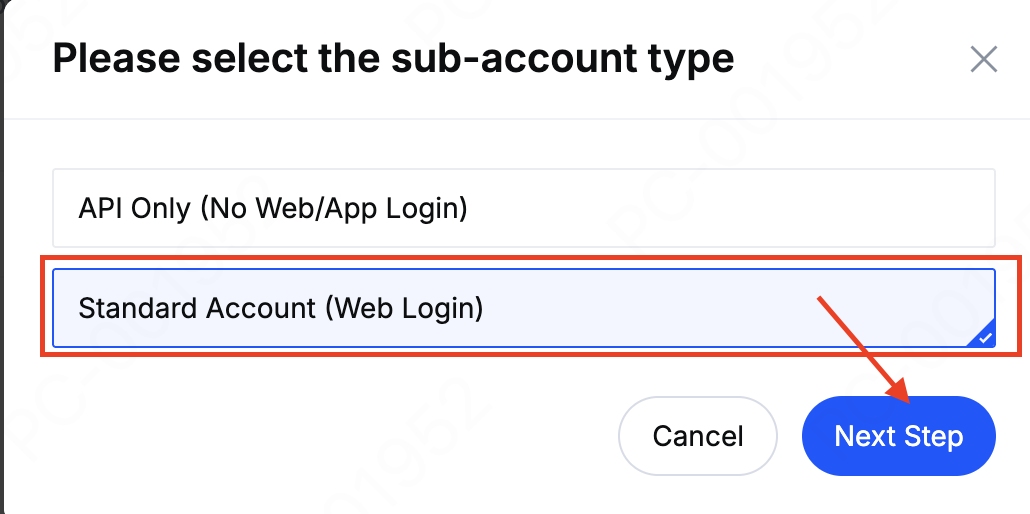
MEXC supports two types of sub-accounts:
- API Only (No Web/App Login): Designed for API trading only. No direct login is required.
- Standard Account (Web login): A regular account that can be accessed via the web or app using your email address and password, just like a main account.
Steps to Create an API Only Account
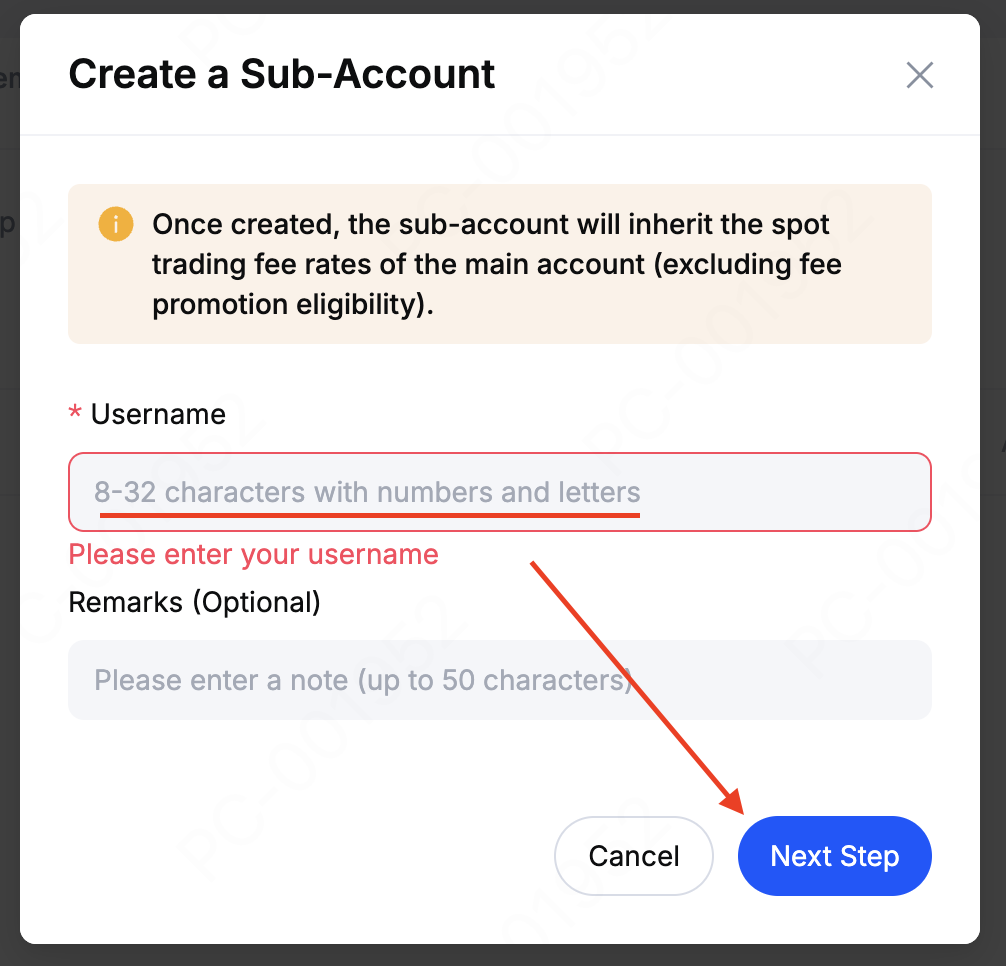
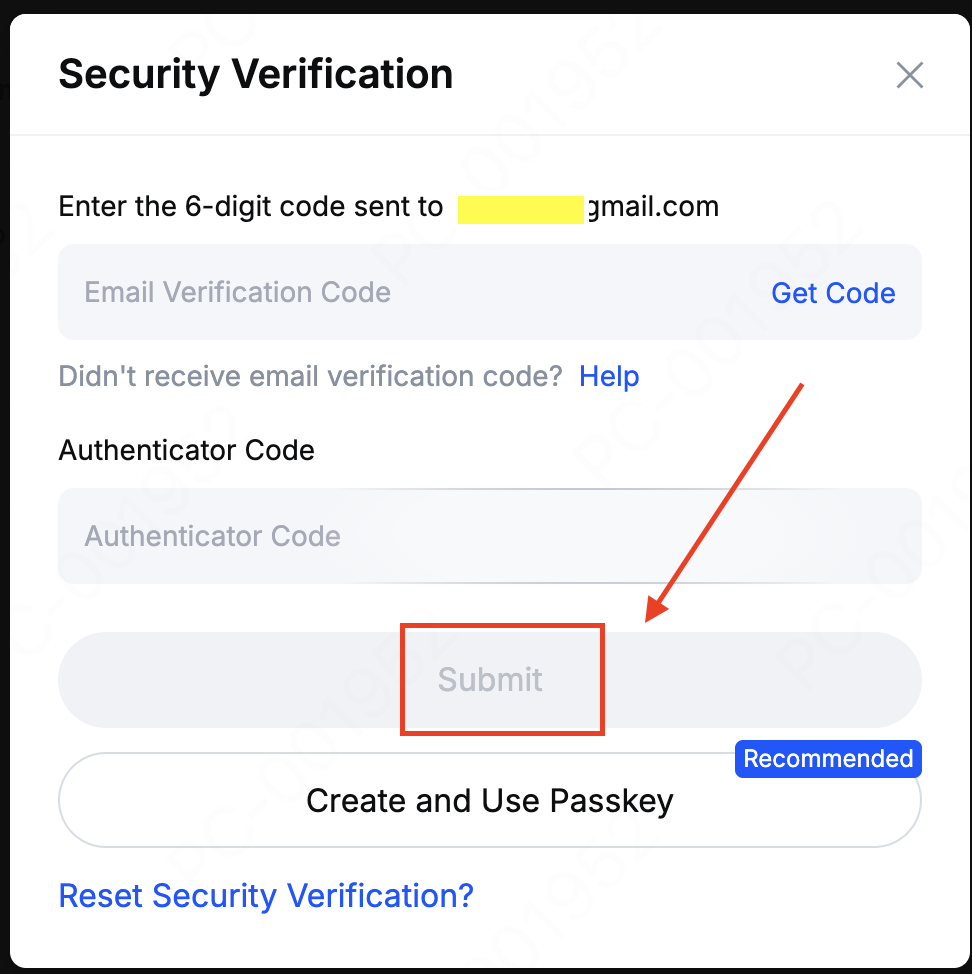
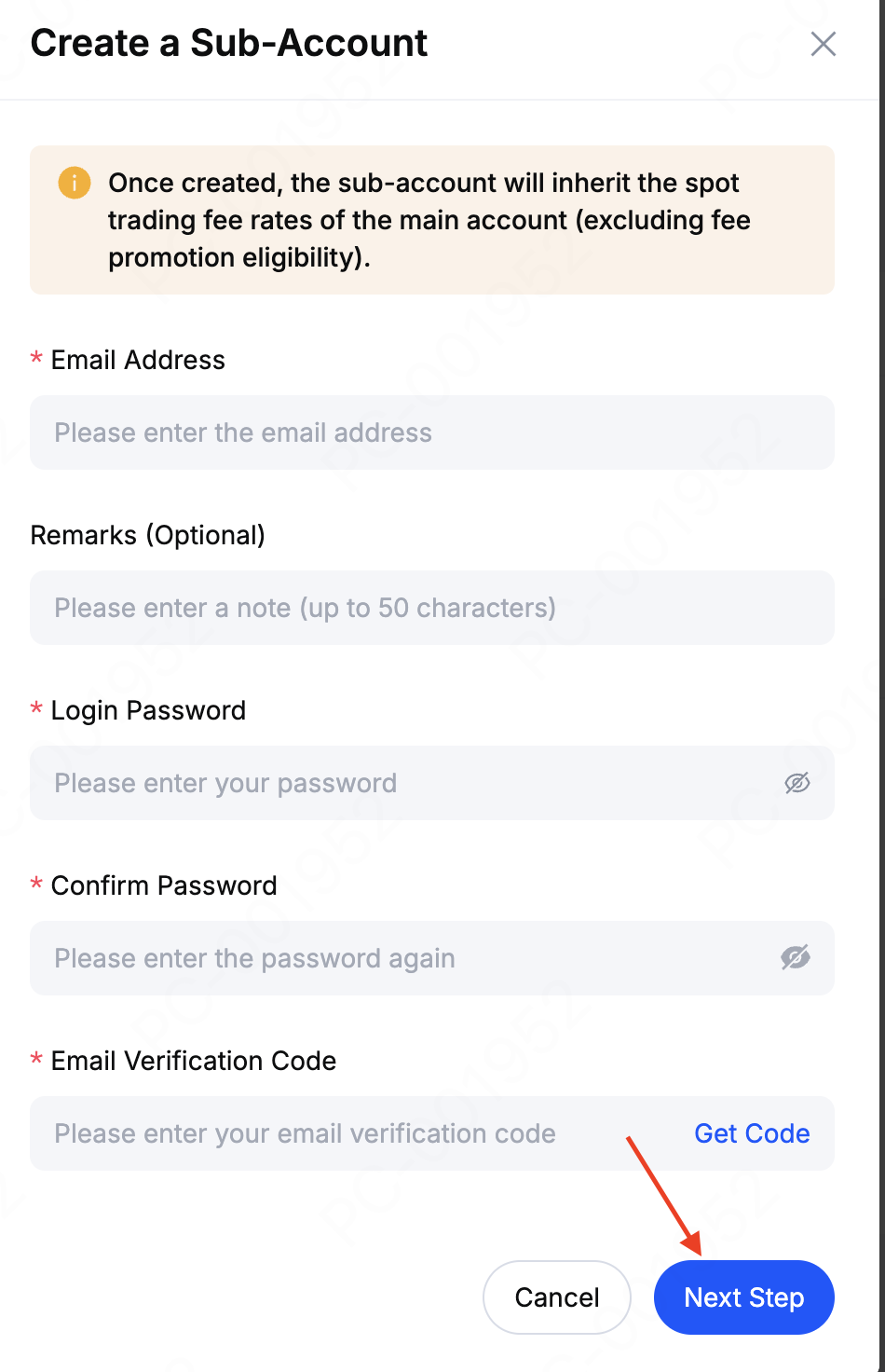
Steps to Create a Standard Account
How to Create an API Key
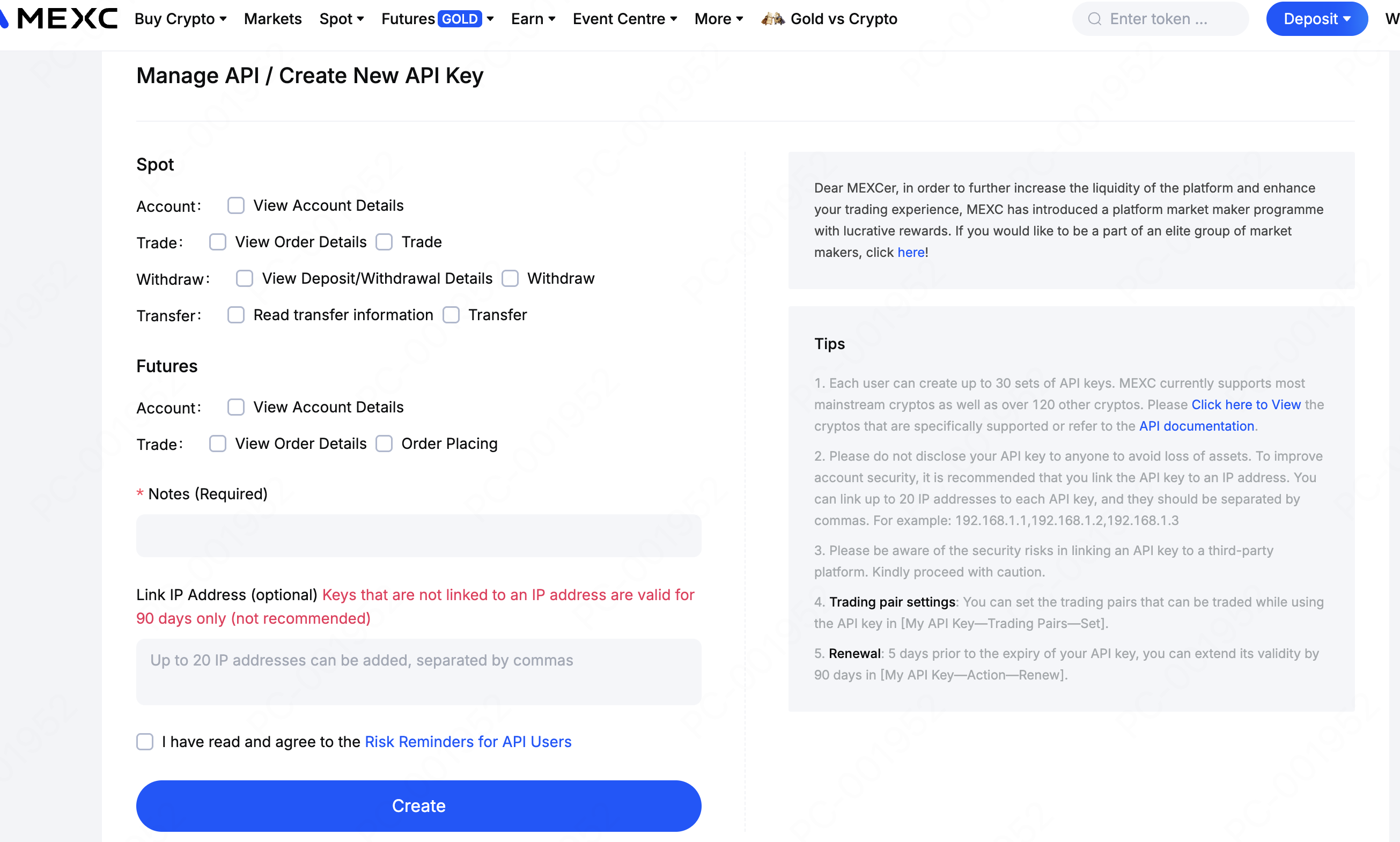
You can log in and manage your API or create a new API Key on the API Management page.
Spot: No KYC verification required
Futures: KYC verification required
Please check the boxes according to your requirements.
Be sure to securely save your "Access Key" and "Secret Key" after completing security validation as they will not be shown again.
Note:
- The "Secret Key" is displayed only once. Please store it securely and never share it with anyone or upload it to platforms such as GitHub to prevent potential asset loss.
For integration details and support, please refer to the resources below:
• For any issues related to the Futures API, please contact API Support

